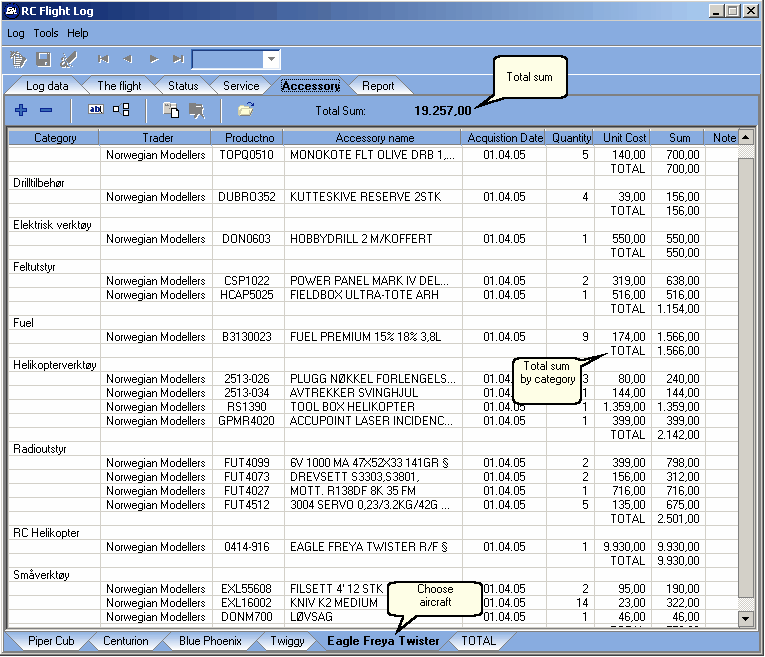
You can also add accessory lists for any none aircraft related equipment.
|
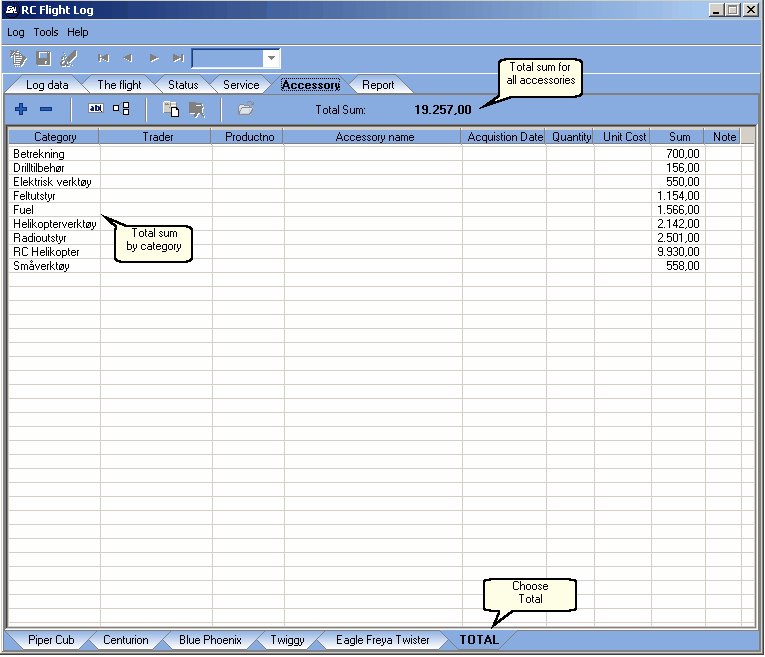
Total cost for all categories and aircrafts:
|
Accessory toolbar:

...1....2...........3.....4...........5....6...........7.....................8
|
|
| Shortcut:
|
| 1. Add accessory (INSERT)
|
| 2. Delete accessory (DELETE)
|
| 3. Edit accessory (ENTER)
|
| 4. Accessory duplication
|
| 5. Add accessory list
|
| 6. Delete accessory list
|
| 7. Accessory import
|
| 8. Total sum
|
| 1. | Add accessory:
|
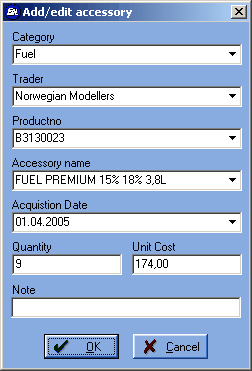
To add accessory to a list you must enter a
category. You can easily add accessory with the
"Dropdown" lists which contain earlier registered
data. If you choose from a "Dropdown" list the other
"Dropdown" lists will be sortet by your choise.
Exsample:
If you choose a category, the other "Dropdown" lists
will contain accessories registered under the same
category.
| 4. | Accessory duplication:
|
If your aircrafts have some of the same equipment,
you can duplicate from one list and "drag" it with
the mouse between them.
| 7. | Accessory import:
|
|
|
| If you already have a list of your equipment you can
|
| easily import it into RC Flight Log. Often when you order
|
| from the internet, the trader will e-mail back your orders.
|
| You can also copy and paste the shopping cart to MS
|
| Excel and then import it.
|
|
|
| Fill out an Excel sheet with the new equipment as
|
| shown beneath and then import it. Divide the
|
| equipment by dragging them between your accessory
|
| lists.
|
|
|
| NOTE!
|
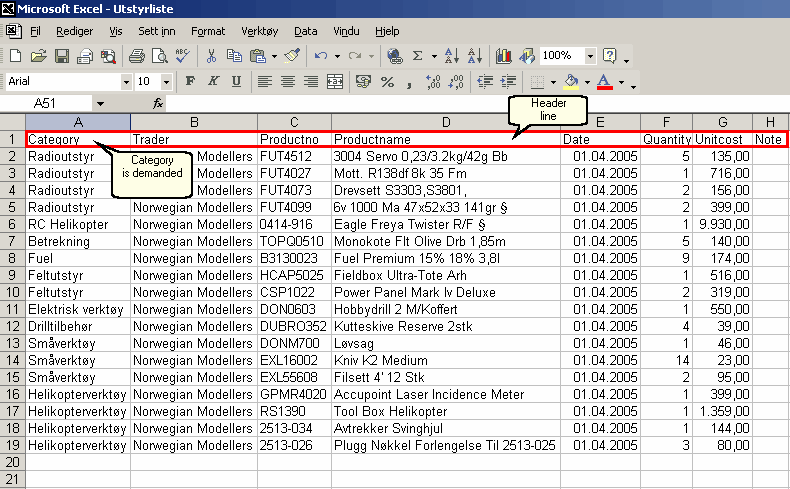
has the field names as beneath. It is not necessary to
have all the fields, but the one you are importing must
have the right field name in the headerline. Field name
"Category" is demanded.
The headerline is as follows:


Exsample:
|